



CloudFloor DNS Logo
CloudFloorDNS Icon

Website & Infrastructure Monitoring: A Complete Guide to Preventing Downtime

Website & Infrastructure Monitoring: A Complete Guide to Preventing Downtime

Website & Infrastructure Monitoring: A Complete Guide to Preventing Downtime

Every minute of downtime costs money. For e-commerce sites, that figure can reach thousands of dollars per hour. For SaaS platforms, it means broken customer trust and churned subscriptions. For enterprises running mission-critical applications, unplanned outages can cascade into compliance violations, SLA breaches, and reputational damage that takes months to repair.

Yet despite these stakes, too many organizations still operate in reactive mode—learning about outages from angry customers instead of automated alerts, and scrambling to diagnose problems without baseline performance data to guide them.

The reality of modern digital infrastructure is that complexity has outpaced visibility. Your business likely depends on a web of interconnected services: websites, APIs, email servers, VoIP systems, SSL certificates with expiration dates, and backend services distributed across cloud providers and on-premise hardware. Any one of these components can fail independently, and when they do, the clock starts ticking.

The Shift from Reactive to Proactive

Proactive monitoring flips the script. Instead of waiting for failures to surface through customer complaints or revenue dips, you gain real-time observability into the health and performance of every critical endpoint. You know within seconds—not hours—when something goes wrong. More importantly, you can identify degradation patterns before they escalate into full outages.

At CloudfloorDNS, we’ve spent over 25 years helping organizations keep their digital infrastructure online with our managed DNS, failover, and GeoDNS services. Our Netmon monitoring platform extends that same commitment to reliability across your entire stack—from HTTP endpoints and mail servers to VoIP systems and SSL certificate expiration tracking.

Whether you’re managing a single business-critical website or overseeing a complex multi-site enterprise, this guide covers everything you need to know—from the true cost of downtime to choosing the right monitoring intervals for your infrastructure.


The True Cost of Downtime

Cost of Downtime

Industry research consistently places the average cost of IT downtime between $5,600 and $9,000 per minute for mid-size enterprises, with figures climbing significantly higher for financial services, healthcare, and e-commerce during peak periods. But the direct revenue loss is only part of the equation.

Consider the compounding effects: when your website goes down, search engine crawlers may encounter errors that negatively impact your rankings. Customer support teams get flooded with tickets, pulling resources from other priorities. Sales teams lose leads that were mid-funnel. And for B2B SaaS companies, outages can trigger SLA credit obligations that eat directly into margins.

The reactive approach—waiting until something breaks—virtually guarantees you’ll experience the maximum impact from every incident. By the time a customer reports an issue, they’ve already had a negative experience. By the time your team triages the alert, investigates the cause, and implements a fix, minutes have turned into hours. Proactive monitoring compresses this timeline dramatically, often catching issues before users are affected at all.

Key Services You Should Be Monitoring

Services You Should Be Monitoring

Modern infrastructure monitoring must extend far beyond simple ping checks. Your monitoring strategy should cover every layer of your stack and every protocol your business depends on.

Web and API endpoints require HTTP/HTTPS monitoring that validates not just availability but response content and status codes. A server returning 200 OK with an error page is still a failure. Email infrastructure—SMTP for sending, POP3 and IMAP for retrieval—is often overlooked until critical transactional emails stop flowing. Network connectivity checks via ICMP ping, TCP connect, and UDP connect tests verify basic reachability across your infrastructure.

For organizations running unified communications, SIP/VoIP monitoring and Cisco Expressway checks ensure your phone systems stay operational. DNS monitoring validates that your authoritative name servers are responding correctly—a single point of failure that can take down everything else. And increasingly critical: SSL certificate expiration tracking, because an expired certificate will trigger browser warnings that effectively take your site offline even when the underlying infrastructure is healthy.

CloudfloorDNS Netmon supports all of these protocols—HTTP(S), Ping, SMTP, POP, IMAP, FTP, Telnet, SSH, DNS, TCP Connect, UDP Connect, SIP/VOIP, Cisco Expressway, and SSL Certificate Expiration—giving you comprehensive visibility from a single platform.

How Monitoring Integrates with DNS Failover

Monitoring becomes exponentially more powerful when paired with automated remediation. This is where the integration between monitoring and DNS failover transforms observability from a passive reporting tool into an active defense system.

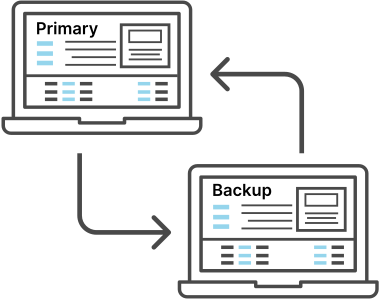
Here’s how it works: your monitoring system continuously checks the health of your primary servers from multiple geographic locations. When a threshold is breached—say, three consecutive failed checks from two or more locations—the system can automatically update your DNS records to point traffic to a backup server, secondary ISP, or failover CNAME/ALIAS. This happens in seconds, often before users notice any disruption.

CloudfloorDNS has offered DNS Failover for years, with monitoring intervals as fast as 10 seconds and support for failover to backup IPs, secondary ISPs, CNAMEs, or ALIAS records. The Netmon monitoring platform uses this same battle-tested global monitoring network, with 20+ detection methods and the ability to trigger automated failover with webhooks or syslog events based on the conditions you define. For organizations running active-passive or active-active architectures, this integration is the difference between a brief blip and a prolonged outage.

Choosing the Right Monitoring Cadence

Not all services require the same level of scrutiny, and monitoring frequency should reflect both the criticality of the service and the speed at which problems need to be detected.

Mission-critical, revenue-generating systems—your primary website, payment processing APIs, authentication services—warrant the fastest monitoring intervals available. At the Enterprise tier, Netmon checks every 10 seconds from 7 global locations, meaning you’ll know about an issue within moments of it occurring. This cadence is appropriate for services where even 60 seconds of downtime has measurable business impact.

Important but less time-sensitive services—internal tools, staging environments, secondary mail servers—can typically operate with 1-minute to 5-minute check intervals. This reduces noise and alert fatigue while still providing reasonable detection times.

Background infrastructure and compliance checks—SSL certificate expiration, DNS propagation verification, backup system heartbeats—may only need hourly checks. The goal here is validation rather than rapid incident detection.

The key is matching your monitoring investment to your risk tolerance. Netmon plans range from hourly checks on the Free tier up to 10-second intervals on Enterprise, allowing you to right-size monitoring for each service in your portfolio.

Real-World Scenarios: Monitoring in Action

Real-World Scenarios

Scenario 1: The Silent SSL Expiration A marketing agency managing 40+ client websites had SSL certificates scattered across multiple providers with varying renewal dates. When one certificate expired on a Friday evening, the client’s e-commerce site displayed security warnings all weekend—costing an estimated $12,000 in lost sales. With SSL expiration monitoring, they now receive alerts 30, 14, and 7 days before any certificate expires, with escalating notifications as deadlines approach.

Scenario 2: The ISP Failover That Saved a Product Launch A SaaS company scheduled a major product launch with coordinated PR and a live demo for press. Two hours before the event, their primary ISP experienced a regional outage. Because they had DNS Failover configured with 10-second monitoring, traffic automatically shifted to their backup connection within 30 seconds. The launch proceeded without interruption, and most of the team didn’t even know there had been an issue until reviewing logs afterward.

Scenario 3: The SMTP Server Nobody Was Watching An e-commerce platform noticed a gradual decline in email open rates over several weeks. Investigation revealed their SMTP relay had been intermittently failing, causing 15-20% of transactional emails—order confirmations, shipping notifications, password resets—to silently fail. SMTP monitoring with content validation would have caught the issue on day one, not week six.

These scenarios share a common thread: the organizations involved had the technical capability to prevent or rapidly mitigate the issue, but lacked the visibility to act in time. Monitoring provides that visibility.


Getting Started with CloudfloorDNS Netmon

Monitoring Plans Monitoring Plans
Contact Us Contact Us


Whether you need basic uptime awareness for a single website or enterprise-grade observability across a complex multi-site infrastructure, CloudfloorDNS Netmon offers a monitoring tier that fits your requirements.

Our plans start with a free tier for basic monitoring needs and scale up to Enterprise with 10-second check intervals, 50 monitors, 6 months of log retention, API access, and webhook/syslog integration for connecting to your existing alerting and incident management workflows.

Ready to move from reactive firefighting to proactive infrastructure management? Explore our monitoring plans or contact our team to discuss your specific requirements.

Cloudflare Got You Down? | CloudFloorDNS can help

The Critical Role of Secondary DNS (and Why CloudFloorDNS Has You Covered)

When Cloudflare experiences an outage or service disruption, thousands of organizations feel the ripple effects instantly. Websites become unreachable, critical APIs stop responding, customer portals fail to load, and mission-critical applications can grind to a halt. Cloudflare is one of the largest DNS and security platforms in the world, but even the biggest providers are not immune to downtime, network saturation, or regional interruptions.

This reality is pushing more businesses to adopt Secondary DNS — a high-resilience strategy designed to preserve uptime even when a primary DNS provider encounters issues. For organizations relying heavily on Cloudflare, implementing a Secondary DNS service is no longer a luxury; it is a safeguard that ensures your digital presence remains accessible when your primary provider falters.

Secondary DNS works by syncing a duplicate set of DNS records from your primary server to a secondary one. If your primary DNS goes down—due to an outage, attack, or maintenance—the secondary server steps in to handle queries. Providers like CloudFloorDNS make this process seamless with their robust Secondary DNS services.


Why Cloudflare Outages Hit Hard

Cloudflare operates a global, performance-optimized Anycast network, but DNS remains a single point of failure if it is solely dependent on one provider. When Cloudflare experiences issues such as:

  • Large-scale DDoS attacks

  • Routing disruptions

  • Configuration errors

  • Regional network instability

  • Software bugs or propagation delays

…organizations relying exclusively on Cloudflare DNS may suddenly become unreachable, regardless of how resilient their hosting or infrastructure may be.

This is where a properly configured Secondary DNS strategy makes the difference between total outage and uninterrupted availability.


What Is Secondary DNS and Why Does It Matter?

Secondary DNS creates a geographically distributed, independent copy of your primary DNS zone on another provider’s Anycast network. If Cloudflare is impacted, DNS resolvers can automatically query the secondary provider, keeping your domains online.

Key benefits include:

1. True DNS Redundancy

No single DNS platform is invincible. Secondary DNS distributes risk across two independent global networks, eliminating a single point of failure.

2. Faster Global Resolution

Using two Anycast networks can improve response times, reduce lookup latencies, and increase resiliency during traffic spikes or attacks.

3. Independent Infrastructure

If Cloudflare experiences outages or propagation delays, the Secondary DNS provider continues to serve valid DNS records to all global resolvers.

4. Zero Change to Your Existing Setup

Secondary DNS works behind the scenes. Your existing Cloudflare configuration stays intact while zone transfers keep the backup perfectly synchronized.


Why CloudFloorDNS Is the Ideal Secondary DNS for Cloudflare

CloudFloorDNS offers a robust, enterprise-ready Secondary DNS platform engineered specifically for DNS continuity and resilience. With over 20 years of DNS uptime performance and a proven Anycast network spanning North America, Europe, Asia, and beyond, CloudFloorDNS ensures your domain remains reachable even when Cloudflare isn’t.

1. Anycast Network with Global Reach

CloudFloorDNS operates a distributed Anycast DNS network designed to deliver fast, reliable responses across continents — a true complement to Cloudflare’s infrastructure.

2. Automated Zone Transfers (AXFR/IXFR)

Your Cloudflare DNS zone is automatically mirrored to CloudFloorDNS, ensuring both platforms serve the same up-to-date records at all times.

3. 100% Uptime SLA

CloudFloorDNS maintains a long-standing track record of DNS availability with a 100% uptime SLA, giving your business the resilience it needs.

4. API-Driven DNS Automation

Perfect for enterprises, SaaS platforms, and DevOps teams that require large-scale automation and reliable zone synchronization.

5. Rapid Deployment with Zero Downtime

Secondary DNS with CloudFloorDNS can be implemented quickly, without interrupting your existing Cloudflare setup or service.

6. Affordable Protection for Any Business Size

From SMBs to global enterprises, Secondary DNS from CloudFloorDNS is cost-effective, easy to deploy, and engineered for long-term stability.


Real-World Impact: Protecting Your Brand and Revenue

DNS downtime doesn’t just break websites — it affects:

  • Online revenue

  • Customer trust

  • Infrastructure availability

  • Secure authentication services

  • API access

  • Brand reputation

Secondary DNS ensures that even during widespread outages, your domain remains online and fully operational. For companies that cannot afford downtime — SaaS providers, financial services, healthcare applications, e-commerce platforms, municipal services, and enterprise IT departments — the redundancy is essential.


Cloudflare Is Excellent. But Redundancy Is Better.

Cloudflare remains one of the most powerful DNS and security providers in the world — but no provider is perfect. Outages happen, and dependency on a single DNS platform introduces unnecessary risk.

A Secondary DNS service from CloudFloorDNS is the simplest and most effective solution to ensure you remain online, resilient, and protected — no matter what happens across the internet.


Why CloudFloorDNS Stands Out

CloudFloorDNS Secondary DNS Benefits:

  • 🌐 Global Anycast Network (15+ PoPs worldwide)

  • ⚙️ Automatic AXFR/IXFR Zone Transfers

  • 📈 100% Uptime SLA

  • 🔒 Enterprise-class resilience

  • Ultra-fast deployment

  • 🧩 Fully compatible with Cloudflare DNS

  • 🚀 Protect your domain from Cloudflare outages.


Final Thoughts

If Cloudflare has you worried — or if you’ve already felt the pain of widespread disruptions — now is the time to implement a smart DNS redundancy strategy. Secondary DNS is the modern insurance policy for digital presence, and CloudFloorDNS delivers it with world-class reliability, rapid onboarding, and advanced automation.

Providers like CloudFloorDNS make this process seamless with their robust Secondary DNS services.

Implement CloudFloorDNS Secondary DNS today.
100% uptime. Zero downtime onboarding.

Your DNS stays online. Always.

Why Should I Use Secondary DNS? | CloudFloorDNS Explains

Why Should I Use Secondary DNS? A Must-Know for Businesses


What is Secondary DNS and Why Does It Matter?

If your business relies on an online presence—whether it’s a website, email, or app—your DNS (Domain Name System) is the backbone that keeps everything running. But what happens if your primary DNS fails? That’s where Secondary DNS comes in. It’s a backup system that ensures your domains stay accessible, even when the unexpected strikes. So, why should you use Secondary DNS? Let’s dive into the key reasons it’s a game-changer for reliability, performance, and security.

Secondary DNS works by syncing a duplicate set of DNS records from your primary server to a secondary one. If your primary DNS goes down—due to an outage, attack, or maintenance—the secondary server steps in to handle queries. Providers like CloudFloorDNS make this process seamless with their robust Secondary DNS services.

Top Reasons to Use Secondary DNS

1. Unmatched Reliability with Redundancy

Downtime is a business’s worst nightmare. A single point of failure in your DNS setup can knock your website offline, disrupt email, or halt customer transactions. Secondary DNS adds a layer of redundancy—meaning if your primary server fails, the secondary one takes over instantly. With CloudFloorDNS DNS Failover, you get automated protection to keep your services live 24/7.

2. Better Performance Through Load Balancing

High-traffic websites can overload a single DNS server, slowing down response times or even causing outages. Secondary DNS helps distribute query loads across multiple servers, improving speed and stability. CloudFloorDNS leverages an Anycast network to route traffic efficiently, ensuring users get fast responses no matter where they are.

3. Protection Against DDoS Attacks

DNS servers are prime targets for Distributed Denial of Service (DDoS) attacks, which can flood your system and take it offline. With Secondary DNS spread across different networks—like CloudFloorDNS’s global infrastructure—it’s harder for attackers to cripple your DNS. This added resilience keeps your business safe and operational.

4. Global Reach with Geographic Redundancy

For businesses with a worldwide audience, Secondary DNS can improve performance by placing servers closer to users. This reduces latency and ensures a smooth experience. CloudFloorDNS’s Managed DNS uses a global Anycast network across four continents, delivering top-notch speed and reliability wherever your customers are.

5. Simplified Maintenance and Updates

Need to update your primary DNS server? Secondary DNS lets you switch traffic to the backup during maintenance, avoiding disruptions. CloudFloorDNS’s Secondary DNS syncs automatically with your primary server, so your records stay current without extra effort.

Who Needs Secondary DNS?

Secondary DNS isn’t just for tech giants—it’s a smart move for any business that values uptime. E-commerce stores, global enterprises, and even small businesses with growing traffic can benefit. If you’ve ever lost sales due to downtime or worried about cyber threats, Secondary DNS is your safety net. Curious if it’s right for you? Get a custom quote from CloudFloorDNS to find out.

Why Choose CloudFloorDNS for Secondary DNS?

Not all Secondary DNS solutions are created equal. CloudFloorDNS stands out with over 25 years of DNS expertise and a proven track record. Their Secondary DNS service offers:

  • Instant replication of your DNS zones to their global Anycast network.
  • Compatibility with major providers like Dyn, Cloudflare, and NS1.
  • Advanced features like DNSSEC for security and detailed analytics.
  • A powerful API to automate and integrate DNS management.

Whether you’re backing up your primary DNS or adding resilience, CloudFloorDNS has you covered. Explore their Secondary DNS options to see how they can fit your needs.

How to Get Started with Secondary DNS

Setting up Secondary DNS is easier than you think. Start by assessing your current DNS setup—do you experience slowdowns or outages? Then, choose a provider that aligns with your goals. CloudFloorDNS makes it simple: their team can help you migrate zones, configure backups, and optimize performance. Visit CloudFloorDNS Resources for guides and support to get going.

Conclusion: Don’t Risk Downtime—Use Secondary DNS

Why should you use Secondary DNS? Because it’s an affordable, effective way to ensure your business stays online, fast, and secure. From preventing downtime to boosting performance and thwarting attacks, it’s a no-brainer for any organization with an online presence. With CloudFloorDNS, you’re not just getting a backup—you’re getting a partner in building a stronger digital foundation.

Ready to take the next step? Contact CloudFloorDNS today or leave a comment below with your questions about Secondary DNS!

What is Enterprise DNS? A Complete Guide for Businesses

What is Enterprise DNS? A Complete Guide for Businesses

Understanding Enterprise DNS

In today’s digital world, businesses rely heavily on fast, secure, and reliable online operations. At the heart of this lies Enterprise DNS—a powerful system designed to meet the complex needs of large organizations. But what exactly is Enterprise DNS, and why should your business care? In this guide, we’ll break it down and explore how services like those from CloudFloorDNS can supercharge your network performance.

Enterprise DNS is an advanced Domain Name System tailored for businesses with extensive networks, multiple domains, or global operations. Unlike standard DNS, which simply translates domain names (like www.example.com) into IP addresses, Enterprise DNS offers enhanced features such as load balancing, traffic management, and high availability to ensure seamless online experiences.

How Does Enterprise DNS Work?

The Domain Name System (DNS) acts like the internet’s phonebook, directing users to the right servers. For enterprises, this process scales up significantly. Enterprise DNS uses a global network of servers—often leveraging Anycast DNS technology—to route traffic efficiently. This means faster load times, reduced latency, and improved uptime, even during peak usage or outages.

For example, CloudFloorDNS Enterprise DNS employs an Anycast network to deliver lightning-fast responses and a 100% uptime guarantee, making it a top choice for businesses needing reliability.

Key Benefits of Enterprise DNS

  • Speed and Performance: With features like Anycast routing, Enterprise DNS reduces latency by connecting users to the nearest server, boosting website speed—a critical factor for user satisfaction and SEO rankings.
  • Reliability: Advanced failover solutions ensure your services stay online, even if a server goes down. Check out CloudFloorDNS DNS Failover for automated uptime protection.
  • Scalability: Whether you manage ten domains or thousands, Enterprise DNS scales effortlessly to handle growing traffic and complex setups.
  • Security: Enhanced features like DNSSEC protect against cyber threats, keeping your business and customers safe.
  • Global Reach: GeoDNS capabilities direct users to location-specific servers, optimizing performance worldwide.
  • Powerful API: Powerful APIs aid in automation for speed and scale and enable seamless integrations with tools and workflow.

Why Your Business Needs Enterprise DNS

For small websites, basic DNS might suffice. But for enterprises—think e-commerce giants, multinational corporations, or companies with multiple locations—standard DNS falls short. Slow resolution times, single points of failure, and limited traffic management can hurt your bottom line.

Enterprise DNS addresses these challenges head-on. It’s not just about keeping your website up; it’s about delivering a fast, secure, and consistent experience to users everywhere. Plus, faster DNS resolution can improve your search engine rankings, as site speed is a key SEO factor.

CloudFloorDNS: Your Enterprise DNS Solution

Looking for a trusted provider? CloudFloorDNS offers a suite of managed DNS services built for enterprises. From Managed DNS to DNS Load Balancing, their solutions ensure top-tier performance and reliability.

With over 25 years in the DNS industry, CloudFloorDNS combines expertise with cutting-edge technology. Their easy-to-use interface, detailed analytics, and robust API make managing your DNS a breeze—whether you’re a tech novice or a seasoned IT pro.

Getting Started with Enterprise DNS

Ready to upgrade your DNS game? Start by evaluating your current setup. Are your load times sluggish? Do you experience downtime? If so, it’s time to explore Enterprise DNS options.

Visit CloudFloorDNS to request a custom quote tailored to your business needs. Their team can guide you through setup, from migrating domains to configuring advanced features like failover and load balancing.

Unleashing the Power of Managed DNS

Conclusion

Enterprise DNS isn’t just a technical upgrade—it’s a strategic investment in your business’s online success. By ensuring speed, reliability, and security, it empowers you to serve customers better and stay ahead of the competition. With providers like CloudFloorDNS, you get the tools and support to make it happen.

Have questions about Enterprise DNS? Drop a comment below or explore more at CloudFloorDNS Resources. Your business deserves the best—don’t settle for less!

Why to Use a Managed DNS Provider Over Self-Hosted DNS

The Case for Speed and Security


Resources Banner


In the rapidly evolving digital ecosystem, businesses depend on reliable, fast, and secure internet services to maintain their online presence. The Domain Name System (DNS) is the foundation of this infrastructure, enabling the seamless translation of domain names into IP addresses. When it comes to managing DNS, organizations often face a pivotal choice: use a managed DNS provider or host their DNS internally. While self-hosted DNS solutions offer control, managed DNS providers deliver superior advantages in speed, security, and overall efficiency.

This article delves into why managed DNS providers are the preferred choice for businesses aiming to ensure optimal performance and robust security, especially in an era where speed and protection are paramount for success.


  1. Introduction to DNS and Its Role in Modern Digital Infrastructure

    DNS acts as the internet’s address book, translating user-friendly domain names like “example.com” into machine-readable IP addresses. This critical process ensures users can access websites and applications without manual intervention. However, the efficiency and security of DNS depend heavily on the infrastructure supporting it. Managed DNS providers offer a global network of servers optimized for speed and fortified against cyber threats, whereas self-hosted solutions often lack the resources to deliver comparable performance and protection.

    Speed is a defining factor in the digital age. Slow DNS resolution can lead to poor user experiences, reduced website engagement, and even lost revenue. Security, on the other hand, has become a non-negotiable aspect of DNS management as cyberattacks grow increasingly sophisticated. Businesses cannot afford the downtime or vulnerabilities that may arise from under-resourced, self-hosted DNS systems.

  2. Superior Speed with Managed DNS Providers

    A managed DNS provider’s infrastructure is built for speed, leveraging a globally distributed network of data centers known as Points of Presence (PoPs). These PoPs are strategically located worldwide, ensuring that DNS queries are resolved by the server nearest to the user. This proximity minimizes latency, providing faster load times for websites and applications.

    In contrast, self-hosted DNS often relies on a limited number of servers located within a single geographic region. This setup leads to increased latency for users accessing the system from distant locations. For example, a user in Asia trying to resolve a domain hosted on a server in North America may experience significant delays. Such latency is unacceptable for businesses competing in global markets, where milliseconds can make a difference in user retention and conversion rates.

    Managed DNS providers also utilize advanced technologies like Anycast routing to distribute DNS queries efficiently. With Anycast, a single IP address routes traffic to multiple data centers, automatically directing users to the best-performing server. This approach ensures consistent speed and reliability, even during high-traffic periods or localized outages. For businesses seeking to provide seamless user experiences, the speed advantages of managed DNS cannot be overstated.

  3. Robust Security Features Protecting Critical Digital Assets

    The increasing frequency and sophistication of cyberattacks make DNS security a top priority. Managed DNS providers are equipped to address these challenges with advanced security measures that far exceed the capabilities of most self-hosted systems. These providers offer built-in protections against Distributed Denial of Service (DDoS) attacks, DNS spoofing, and cache poisoning—common threats that can disrupt services or compromise sensitive data.

    DDoS attacks, for instance, aim to overwhelm DNS servers with excessive traffic, rendering websites or applications inaccessible. Managed DNS providers mitigate this risk by distributing traffic across their extensive networks, absorbing the impact of such attacks without affecting service availability. Self-hosted DNS, on the other hand, lacks the scalability and resources to withstand large-scale DDoS attacks, leaving businesses vulnerable to downtime and reputational damage.

    Another key feature of managed DNS providers is DNSSEC (Domain Name System Security Extensions). DNSSEC ensures the authenticity of DNS responses by adding cryptographic signatures, preventing attackers from redirecting users to malicious sites. Implementing and maintaining DNSSEC on a self-hosted system can be complex and resource-intensive, whereas managed DNS providers handle this critical security measure seamlessly.

  4. Simplified Management and Monitoring for Enhanced Reliability

    Managed DNS providers offer intuitive dashboards, real-time analytics, and automated tools that make DNS management straightforward and efficient. These features allow businesses to monitor traffic, detect anomalies, and implement changes with minimal effort. Self-hosted DNS, however, demands continuous attention, manual updates, and specialized expertise, increasing the risk of misconfigurations and downtime.

    Automation plays a significant role in ensuring DNS reliability. Managed DNS providers use automated failover systems to reroute traffic during server outages, maintaining uninterrupted access for users. This level of redundancy and reliability is challenging to achieve with self-hosted solutions, which often depend on manual intervention to address issues.

    For businesses with limited IT resources, the simplified management offered by managed DNS providers translates to reduced operational overhead and fewer technical challenges. Teams can focus on core business objectives rather than troubleshooting DNS issues, improving overall productivity and service quality.

  5. The Cost of Compromising Speed and Security

    While self-hosted DNS may seem like a cost-effective solution initially, it often incurs hidden expenses that outweigh the savings. Hardware procurement, software licenses, staffing, and ongoing maintenance can quickly escalate costs, especially as businesses scale. Additionally, the financial and reputational losses resulting from slow performance or security breaches can far exceed the investment in a managed DNS provider.

    Managed DNS solutions, by contrast, operate on a predictable subscription model, offering businesses a scalable and budget-friendly option. Providers also continuously upgrade their infrastructure to stay ahead of emerging threats and performance demands, ensuring businesses benefit from the latest technologies without additional investment.

  6. Conclusion: Why Managed DNS Is the Smarter Choice

    In an era defined by digital speed and security, managed DNS providers stand out as the optimal solution for businesses seeking reliability, performance, and protection. Their global infrastructure, advanced security features, and simplified management make them an indispensable partner in maintaining a competitive edge.

    Self-hosted DNS may appeal to organizations with specific control requirements, but the trade-offs in speed, security, and scalability often prove too significant. By choosing a managed DNS provider, businesses can ensure their online presence remains fast, secure, and future-ready in an increasingly demanding digital landscape.

Frequently Asked Questions (FAQs)

  1. What is the main advantage of managed DNS over self-hosted DNS?

    Managed DNS offers superior speed and security through globally distributed infrastructure and advanced protective measures, which are difficult to achieve with self-hosted solutions.

  2. How does managed DNS improve website performance?

    Managed DNS providers utilize technologies like Anycast and geographically distributed PoPs to minimize latency and ensure fast query resolution.

  3. Are managed DNS providers safe?

    Yes, managed DNS providers offer robust security features such as DDoS mitigation, DNSSEC, and threat detection, ensuring protection against common DNS attacks.

  4. What is the cost difference between managed and self-hosted DNS?

    Managed DNS operates on a subscription model, while self-hosted DNS involves upfront costs for hardware and ongoing expenses for maintenance and staffing.

  5. Can small businesses benefit from managed DNS?

    Absolutely. Managed DNS solutions are scalable and cost-effective, making them suitable for businesses of all sizes.

  6. Is a self-hosted DNS suitable for handling global traffic?

    No, self-hosted DNS typically lacks the infrastructure to manage global traffic efficiently, resulting in increased latency for users in distant locations.