


Blog
NXDOMAIN Explained: What It Means and How Attackers Abuse It
October 15, 2026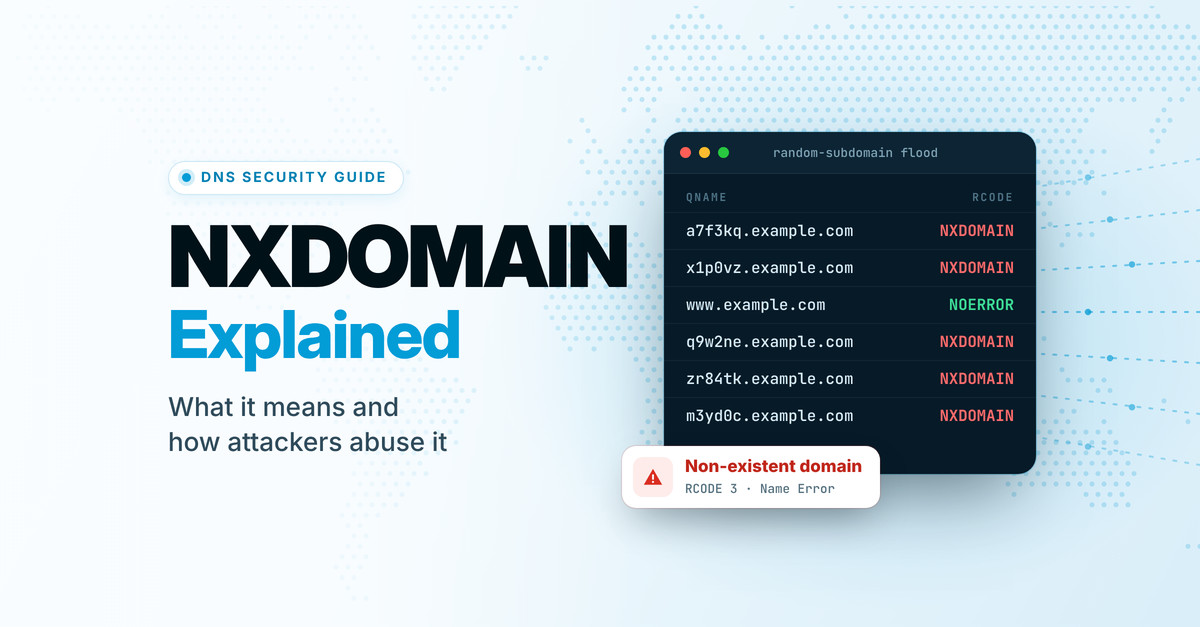
Every DNS answer carries a response code. Most of the time it’s NOERROR and nobody notices. When the name you asked about doesn’t exist at all, the answer comes back with response code 3: NXDOMAIN, short for “non-existent domain.” It’s also one of the most common answers on the Internet. When RFC 8198 was published in 2017, about 65% of the queries reaching the DNS root servers were answered with NXDOMAIN.
Most NXDOMAINs are harmless: a typo, an old link, software checking whether a name exists. But attackers have learned to use “doesn’t exist” too. They flood name servers with questions about made-up names that no cache can absorb, use the answers to map what’s in your zone, and hunt for records that still point at names nobody owns anymore, so they can register those names and take over whatever pointed at them.
This guide covers what NXDOMAIN means, why it matters, the main ways bad actors abuse it, and a checklist for defending your domains, including where CloudFloorDNS fits in.
The short version
NXDOMAIN means a name, and everything below it, doesn’t exist. Resolvers cache that answer for your zone’s negative TTL, so a mistaken “doesn’t exist” can outlive the mistake.
Attackers use non-existent names to flood DNS servers (random-subdomain or “water torture” attacks), to map your zone, and to take over records that still point at names that have lapsed. Most of the defense is hygiene: remove dangling CNAME, NS, MX and SPF references, keep registrations from lapsing, add an np= policy to DMARC, sign your zone, and host DNS on a network built to absorb floods, ideally with a second provider behind it.
What NXDOMAIN actually means
NXDOMAIN is DNS response code 3, which the core DNS specification, RFC 1035 from 1987, calls “Name Error.” It’s a statement from the name servers responsible for a zone that the name you asked about doesn’t exist, for any record type. It’s easy to confuse with a few answers that look similar from the outside but mean something quite different:
| What you get back | What it means | Example |
|---|---|---|
| NOERROR with an answer | The name exists and has records of the type you asked for. | www.example.com A → 203.0.113.10 |
| NOERROR, empty answer (“NODATA”) | The name exists, but has no records of that type. | Asking for AAAA at a host that only has an A record |
| NXDOMAIN | The name doesn’t exist, and neither does anything below it. | typo.example.com |
| SERVFAIL | The resolver couldn’t get a trustworthy answer: an unreachable or broken name server, a lame delegation, or a failed DNSSEC check. | A signed zone whose signatures have expired |
| REFUSED | The server won’t answer, usually because it isn’t authoritative for the zone and doesn’t offer recursion. | Asking a name server about a zone it doesn’t host |
The difference matters in practice. An application that gets NODATA when it asks for an IPv6 address will usually try IPv4 next; one that gets NXDOMAIN knows there’s nothing to find. SERVFAIL is a failure rather than an answer, so a mail server that hits one will typically retry later, while an NXDOMAIN for a recipient’s domain bounces the message straight away. Here’s an NXDOMAIN as dig shows it:
$ dig @ns1.example.net typo.example.com A

;; ->>HEADER<<- opcode: QUERY, status: NXDOMAIN, id: 41823
;; flags: qr aa rd; QUERY: 1, ANSWER: 0, AUTHORITY: 1, ADDITIONAL: 1

;; QUESTION SECTION:
;typo.example.com.        IN  A

;; AUTHORITY SECTION:
example.com.  1800  IN  SOA  ns1.example.net. hostmaster.example.com. 2026101401 3600 1200 1209600 3600
Three things to notice: the status line says NXDOMAIN, the answer section is empty, and the authority section carries the zone’s SOA record. That SOA isn’t decoration. Its TTL tells resolvers how long they may remember that the name doesn’t exist, which is the subject of the next section.
Nothing underneath, either
Because DNS names form a tree, a name that doesn’t exist can’t have anything below it. RFC 8020 made that explicit in 2016: once a resolver has cached an NXDOMAIN for old.example.com, it may answer NXDOMAIN for anything.old.example.com without asking again.
The flip side is that a name with no records of its own but records below it, known as an empty non-terminal, has to answer NODATA rather than NXDOMAIN. _domainkey.example.com is the classic case when your only DKIM key lives at selector1._domainkey.example.com. Resolvers that use QNAME minimization ask about the shorter name first on their way down, and a name server that wrongly answers NXDOMAIN there can make your DKIM keys vanish for some of them.
How long “doesn’t exist” lasts
Resolvers cache negative answers just as they cache positive ones, following RFC 2308. The cache time comes from your zone’s SOA record: it’s the lower of the SOA record’s own TTL and its last field, which originally meant “minimum TTL” and since 1998 has meant “how long to cache a negative answer.” In the example above, that’s the lower of 1800 and 3600: 30 minutes. Resolvers can also apply a cap of their own; RFC 2308 suggests a default maximum of one to three hours.
That has two practical consequences:
- A mistaken NXDOMAIN outlives the mistake. If a record goes missing briefly, because it was deleted and re-added or a deployment published a zone without it, every resolver that asked during the gap keeps answering “doesn’t exist” until its cached copy expires. Fixing the record doesn’t fix the caches.
- Asking too early can delay a launch. If anything looks up a hostname before you create it (a monitoring check, a certificate validator, a colleague testing), resolvers that cached the NXDOMAIN won’t see the new record until the negative TTL runs out.
A negative TTL somewhere between five minutes and an hour is a reasonable middle ground: short enough that mistakes heal quickly, long enough to keep repeated lookups for missing names off your name servers. Step 4 of the checklist below shows how to check yours, and our guide to making DNS changes covers how to avoid creating gaps during edits.
Why NXDOMAIN matters beyond “site not found”
Visitors hit a dead end.
Chrome shows “This site can’t be reached” with the code DNS_PROBE_FINISHED_NXDOMAIN, and other browsers have their own version of the same dead end. There’s no fallback: as far as the browser is concerned, the site doesn’t exist.
Email bounces, or never gets in.
Mail to a domain that returns NXDOMAIN bounces immediately, and mail from one is widely refused. The SPF specification itself notes that many mail servers have long rejected mail from non-existent domains.
A lapsed domain disappears completely.
When an expired registration is put on hold, the TLD stops publishing it, and every name under it, from www to mail to your API, returns NXDOMAIN. If it’s never renewed, it’s eventually released and anyone can register it.
It’s an early warning.
A sudden rise in NXDOMAIN answers is often the first visible sign of something else: malware on a network, a broken deployment, or someone probing or flooding a domain. The patterns are covered below.
How attackers abuse NXDOMAIN
The attacks that involve non-existent names fall into five rough groups. Some use NXDOMAIN as a weapon, some use it to see inside your zone, and some exploit the moment a name stops existing. The rest leave NXDOMAIN trails behind them or tamper with the answers themselves.
Make name servers and resolvers answer junk until they can’t answer anything else.
Use “exists” versus “doesn’t exist” to discover the names in your zone.
Register the names your records still point to after they lapse.
Find command servers or smuggle data out, leaving NXDOMAIN trails.
Fake or rewrite “doesn’t exist” answers to poison caches or redirect users.
Random-subdomain floods (“water torture”)
The attacker picks your domain and sends a stream of queries for names that have never existed: a7f3kq.example.com, x1p0vz.example.com, each one new. No resolver has those names cached, so every query travels all the way to your authoritative name servers. The bots usually send their queries through their own ISPs’ resolvers, so what reaches your name servers comes from legitimate resolvers you can’t simply block, and the resolvers in the middle suffer too.
These pseudo-random subdomain (PRSD) attacks are hard to filter because every packet is a well-formed DNS question. Researchers have pointed to the 2016 Mirai botnet attack on DNS provider Dyn, which left many major websites unreachable for hours, as a prominent example. Other domains on the same name servers can go down with the target.
What helps: A large anycast network that spreads the load, filtering that recognizes the pattern, enough headroom to keep answering real queries, and a second DNS provider so one overwhelmed network can’t take your domain offline. DNSSEC can help a little too; see the FAQ.
Resolver exhaustion: NXNSAttack and expensive proofs
Some attacks recruit the resolvers in the middle to do the flooding. In 2020, researchers at Tel Aviv University and IDC Herzliya disclosed NXNSAttack: an attacker’s name server answers with referrals listing many made-up name server names inside a victim’s domain, and resolvers look up each one, sending a burst of queries for non-existent names to the victim’s DNS. The researchers measured packet amplification of more than 1,620 times. BIND, Unbound, PowerDNS Recursor and Knot Resolver all shipped fixes.
A second family abuses the work involved in checking a DNSSEC “proof of non-existence.” CVE-2023-50868, published in February 2024, showed that NSEC3 records with many extra hash iterations could exhaust a validating resolver’s CPU during a random-subdomain flood. Resolver vendors patched it, and RFC 9276 (2022) tells zone operators to use no extra iterations and no salt. Validating resolvers are allowed to treat anything more as insecure, or to fail it outright.
What helps: If you run resolvers, keep them patched. If your zone uses NSEC3, follow RFC 9276 so your own answers aren’t the expensive ones.
Mapping your zone
Because NXDOMAIN and NOERROR answer a yes-or-no question (does this name exist?), brute-forcing subdomains is easy: run a wordlist of likely names (vpn, dev, staging, legacy-mail) and keep whatever doesn’t come back NXDOMAIN. Empty non-terminals give away a little more: if _tcp.example.com answers NODATA instead of NXDOMAIN, something exists below it.
DNSSEC adds its own wrinkle. A zone signed with NSEC proves a name doesn’t exist by naming the existing names on either side of it, so by following that chain, anyone can list every name in the zone at about one query per name. NSEC3 hashes those names, which slows enumeration but doesn’t stop offline guessing against the hashes. Signers that generate minimally covering records on the fly, including the compact denial method standardized as RFC 9824 in 2025, avoid the disclosure.
What helps: Assume your hostnames will be discovered and protect every host they point to. Keep secrets out of names, and delete records for retired services rather than leaving them as signposts.
Dangling CNAMEs and subdomain takeover
A CNAME is a promise that another name will answer for yours. When the thing behind it is deleted (a cloud app, a storage bucket, a campaign landing page) or its domain expires, the target stops existing but your CNAME still points at it. If an attacker can claim that target, by creating a resource with the same name at the cloud provider or by registering the expired domain, your subdomain starts serving their content under your name and reputation.
This happens at scale. In February 2024, Guardio Labs described a campaign it called SubdoMailing that had hijacked more than 8,000 domains and 13,000 subdomains belonging to well-known brands and institutions, active since at least September 2022. In one case, an MSN subdomain still pointed by CNAME at an expired promotional domain. Once the attackers registered that domain, the subdomain inherited whatever SPF policy they published there, so mail sent in the subdomain’s name could pass SPF.
What helps: When you retire a service, delete the DNS record first and the resource second. Audit your CNAMEs regularly for targets that return NXDOMAIN (the script in Step 1 of the checklist below does this), and treat any CNAME to a third-party service you no longer use as suspect, because some providers keep answering for deleted resources.
Abandoned domains in SPF records
SPF records name other domains, mostly through include: but also in a: and mx: mechanisms, usually for mail vendors. When one of those domains lapses, two things happen. First, RFC 7208 treats an include of a domain that doesn’t exist as a permanent error, so as soon as an SPF check reaches it, evaluation stops with a permerror and receivers can’t use your record to vouch for your legitimate mail. Second, and worse, whoever registers the abandoned domain controls what it publishes: an SPF record or address records listing their own servers, which your record will then authorize to send as you. SubdoMailing abused exactly this weakness, re-registering abandoned domains named in brands’ SPF records, alongside its CNAME takeovers.
What helps: Review your SPF record whenever you drop a vendor, and confirm every domain it names still resolves. Do the same for MX hosts and for DKIM records that are CNAMEs to a vendor.
Orphaned name servers and lame delegations
Your NS records are the most powerful references in your zone: whoever answers for those name server names answers for your domain. If your delegation lists name servers under a domain that has been allowed to expire, such as a former provider’s or an old in-house name server domain, anyone who registers it can stand up those name servers and, unless your zone is DNSSEC-signed, answer some or all queries for your domain however they like.
A close relative is the lame delegation: your domain still delegates to a DNS provider that no longer hosts the zone. In 2024, Infoblox and Eclypsium documented “Sitting Ducks” attacks, in which criminals claim such domains at DNS providers that don’t verify ownership. Eclypsium estimated about a million exploitable domains and confirmed more than 30,000 hijacks since 2019. It also noted that domains using the same provider for registration and DNS aren’t at risk from this attack.
What helps: Remove a provider’s name servers from your delegation as soon as you leave it, make sure every NS name resolves, and keep the name servers at your registrar in step with the NS records in your zone.
Lapsed domains that are still trusted
When a domain you used to own is deleted, everything that still trusts it becomes an opening: old email addresses that receive password resets, partners’ allow-lists, SPF and CNAME records in other people’s zones, links in documents, scripts loaded by web pages. Attackers and drop-catching services watch for valuable names to be released and register them the moment they are.
What helps: Auto-renew every domain you depend on, including name server, mail, redirect and retired brand domains, and keep registrations consolidated so a renewal can’t fail on an expired card in an account nobody watches.
Malware trails: DGAs and DNS tunneling
Some malware finds its command servers with a domain generation algorithm (DGA): it computes a long list of pseudo-random domain names every day and tries them until one answers. The attacker registers only a few, so an infected machine leaves bursts of NXDOMAIN answers behind. Conficker’s later variant generated 50,000 candidate domains a day.
DNS tunneling hides data in the questions instead. A compromised host encodes stolen data as labels under a domain the attacker controls, and the attacker’s name server simply logs each query, often answering NXDOMAIN. The answers don’t matter; the questions carry the data.
What helps: Watch NXDOMAIN rates per client on your resolvers. A workstation producing hundreds of NXDOMAINs for random-looking names, or long unique labels under a single domain, deserves a closer look. Threat-intelligence feeds loaded into your resolvers (for example as RPZ) can block known-bad domains outright.
Forged and rewritten NXDOMAINs
Non-existent names also help attackers tamper with answers. In 2008, Dan Kaminsky showed that by asking a resolver about random names that don’t exist, an attacker gets endless fresh chances to race a forged reply into its cache, because there’s never a cached answer in the way. The emergency fix was source-port randomization; the lasting one is DNSSEC. A forged NXDOMAIN is harmful on its own, too: RFC 8020 warns that on a resolver that doesn’t validate, one fake NXDOMAIN can make an entire branch of your domain disappear, and that the only real solution is DNSSEC.
Others rewrite NXDOMAIN on purpose. Some ISP resolvers, and rogue resolvers planted by malware, replace “doesn’t exist” with the address of a search or advertising page. In 2003 the registry for .com and .net did it for every unregistered name with its Site Finder service, until ICANN forced it to stop about three weeks later. Rewriting breaks anything that depends on a clean NXDOMAIN, from mail servers checking sender domains to software probing for internal names.
What helps: Sign your zone so validating resolvers can tell a real NXDOMAIN from a fake one, and use resolvers you trust. Our free DNS Scanner can test a resolver for NXDOMAIN hijacking.
Attack vectors at a glance
| Attack | What it exploits | Who gets hurt | Main defense |
|---|---|---|---|
| Random-subdomain flood | Unique names no cache can answer | Your name servers, the resolvers in between, other zones on the same servers | Anycast capacity, edge filtering, a second provider |
| NXNSAttack, NSEC3 exhaustion | Resolvers chasing referrals or costly proofs | Resolvers, then the victim’s DNS | Patched resolvers; NSEC3 per RFC 9276 |
| Zone mapping | Yes-or-no answers; NSEC chains | Hosts you hoped were obscure | Hardened hosts; no secrets in names |
| Dangling CNAME | Targets that no longer exist | Your subdomains and your brand | Delete records before resources; regular audits |
| Abandoned SPF domain | Lapsed vendor domains | Your email authentication | Prune SPF; check every domain resolves |
| Orphaned NS, lame delegation | Name servers nobody controls | Your whole domain | Clean delegations; DNSSEC |
| Lapsed domain | Trust that outlives the registration | Your users and partners | Auto-renew; consolidated registrations |
| DGAs, tunneling | NXDOMAIN noise as cover | Your network | Per-client NXDOMAIN monitoring |
| Forged or rewritten NXDOMAIN | Unsigned answers; untrustworthy resolvers | Anyone resolving your names | DNSSEC; resolvers you trust |
Your NXDOMAIN hygiene checklist
Most of the defense against NXDOMAIN abuse is housekeeping. Work through these once, then make them part of how you add and retire services.
Find records that point at nothing
This script checks every name your domain’s DNS points at: its name servers, its mail servers, every domain its SPF record names (following nested includes) and its CNAME targets. It prints each one with its result, so you can see exactly what was checked. Save it as nx-audit.sh, make it executable with chmod +x nx-audit.sh, and give it your domain:
#!/usr/bin/env bash
# nx-audit.sh: check whether a domain's DNS records point at names that don't exist
#
# Usage:  ./nx-audit.sh example.com [hosts.txt]
#   hosts.txt  optional: hostnames to check for dangling CNAMEs, one per line
#              (bare labels like "promo" mean promo.example.com). Without it,
#              common hostnames and DKIM selectors are checked instead.
#   RESOLVER=1.1.1.1 ./nx-audit.sh example.com   queries a specific resolver
# Exit status: 0 nothing dangling, 1 something needs attention, 2 couldn't run

set -f                                    # never glob-expand DNS data
D=${1%.}; HOSTS=${2:-}; AT=${RESOLVER:+@$RESOLVER}
total=0; bad=0; warn=0; seen=" "
[ -n "$D" ] || { echo "Usage: $0 example.com [hosts.txt]" >&2; exit 2; }
command -v dig >/dev/null 2>&1 ||
  { echo "dig not found: install bind9-dnsutils, bind-utils or dnsutils" >&2; exit 2; }

ask()   { dig ${AT:+"$AT"} +short +time=3 +tries=2 "$@" 2>/dev/null | grep -v '^;'; }
rcode() { dig ${AT:+"$AT"} +noall +comments +time=3 +tries=2 "$1" "${2:-A}" 2>/dev/null |
          awk '/HEADER/ { for (i = 1; i < NF; i++) if ($i == "status:") {
                 s = $(i + 1); gsub(/[,;]/, "", s); print s; exit } }'; }
row()   { printf '%-6s %-32s %-36s %s\n' "$1" "$2" "$3" "$4"; }
check() {                                 # type, record, target, [query type]
  local rc; rc=$(rcode "$3" "${4:-A}"); total=$((total + 1))
  case $rc in
    NOERROR)  row "$1" "$2" "$3" "ok" ;;
    NXDOMAIN) row "$1" "$2" "$3" "NXDOMAIN  <-- dangling"; bad=$((bad + 1)) ;;
    "")       row "$1" "$2" "$3" "no answer (timed out)"; warn=$((warn + 1)) ;;
    *)        row "$1" "$2" "$3" "$rc (couldn't check)"; warn=$((warn + 1)) ;;
  esac
  [ "$rc" = NOERROR ]
}

# Self-test: a made-up name must come back NXDOMAIN, or nothing below can be trusted
probe="nx-audit-selftest-$RANDOM$RANDOM.mtgsy.net"
st=$(rcode "$probe")
if [ "$st" != NXDOMAIN ]; then
  echo "Self-test failed: $probe returned ${st:-no answer}, not NXDOMAIN." >&2
  echo "Your resolver may be rewriting or blocking answers. Try: RESOLVER=1.1.1.1 $0 $D" >&2
  exit 2
fi
case $(rcode "$D" SOA) in
  NOERROR) ;;
  NXDOMAIN) echo "$D itself doesn't exist (NXDOMAIN). Check the spelling, or whether"
            echo "the registration has lapsed."; exit 1 ;;
  *) echo "Couldn't look up $D. Check your network or resolver." >&2; exit 2 ;;
esac
echo "Auditing $D (resolver: ${RESOLVER:-system default}; self-test passed)"
echo
row TYPE RECORD TARGET RESULT

# Name servers and mail servers
n=0; for t in $(ask NS "$D"); do n=$((n + 1)); check NS "$D" "$t"; done
[ $n -gt 0 ] || row NS "$D" "-" "no NS records found"
n=0
for t in $(ask MX "$D" | awk '{print $2}'); do
  n=$((n + 1))
  if [ "$t" = "." ]; then row MX "$D" "." "null MX (accepts no mail)"; else check MX "$D" "$t"; fi
done
[ $n -gt 0 ] || row MX "$D" "-" "no MX records"

# SPF: every domain named in include:, redirect=, a: and mx:, following nested includes
spf() {                                   # domain, depth
  local d=$1 depth=$2 recs t kind
  recs=$(ask TXT "$d" | sed 's/" "//g; s/"//g' | tr '[:upper:]' '[:lower:]' |
         grep -E '^v=spf1( |$)')
  if [ -z "$recs" ]; then
    if [ "$depth" -eq 0 ]; then row SPF "$d" "-" "no SPF record"
    else row SPF "$d" "-" "no SPF record here (SPF permerror)"; warn=$((warn + 1)); fi
    return
  fi
  if [ "$(printf '%s\n' "$recs" | grep -c .)" -gt 1 ]; then
    row SPF "$d" "-" "more than one SPF record (SPF permerror)"; warn=$((warn + 1))
  fi
  for t in $recs; do
    t=${t#[-+~?]}
    case $t in
      include:*)  kind=include;  t=${t#include:} ;;
      redirect=*) kind=redirect; t=${t#redirect=} ;;
      a:*)        kind=a;        t=${t#a:} ;;
      mx:*)       kind=mx;       t=${t#mx:} ;;
      *) continue ;;
    esac
    t=${t%%/*}
    case $t in *%*) row SPF "$d $kind" "$t" "skipped (SPF macro)"; continue ;; esac
    check SPF "$d $kind" "$t" TXT || continue
    case $kind in include|redirect) ;; *) continue ;; esac
    case $seen in *" $t "*) continue ;; esac
    seen="$seen$t "
    [ "$depth" -lt 9 ] && spf "$t" $((depth + 1))
  done
}
spf "$D" 0

# CNAMEs: hostnames from hosts.txt, or common hostnames and DKIM selectors
if [ -n "$HOSTS" ]; then
  [ -r "$HOSTS" ] || { echo "Can't read $HOSTS" >&2; exit 2; }
  names=$(tr -d '\r' < "$HOSTS" | sed 's/#.*//' | awk 'NF {print $1}'); src="in ${HOSTS##*/}"
else
  names="www mail webmail autodiscover autoconfig smtp shop store blog news promo go email
         click links track cdn static assets media app api portal login status support help
         docs dev staging test beta demo vpn remote ftp selector1._domainkey selector2._domainkey
         google._domainkey k1._domainkey s1._domainkey s2._domainkey"; src="common hostnames"
fi
wild=$(ask CNAME "nx-audit-wildcard-$RANDOM$RANDOM.$D" | head -n 1)
[ -z "$wild" ] || check CNAME "*.$D (wildcard)" "$wild"
n=0; c=0
for h in $names; do
  case $h in *.*) ;; *) h="$h.$D" ;; esac
  case $h in *_domainkey) h="$h.$D" ;; esac
  n=$((n + 1))
  t=$(ask CNAME "$h" | head -n 1)
  [ -n "$t" ] && [ "$t" != "$wild" ] || continue
  c=$((c + 1)); check CNAME "$h" "$t"
done
row CNAME "$n $src" "-" "$c had their own CNAME"

w=targets; [ "$total" -eq 1 ] && w=target
echo
if [ $bad -gt 0 ] || [ $warn -gt 0 ]; then
  echo "$total $w checked: $bad dangling, $warn to look at more closely."
  exit 1
fi
echo "$total $w checked: nothing is dangling."
It starts with a self-test: it looks up a made-up name and stops if the answer isn’t NXDOMAIN, which catches resolvers that rewrite NXDOMAIN answers and would otherwise hide every problem. On its own it checks the CNAMEs of about 40 common hostnames and DKIM selectors. For a complete check, add a file listing your hostnames, one per line; a zone file export works too: ./nx-audit.sh example.com hosts.txt. A run looks like this:
$ ./nx-audit.sh example.com
Auditing example.com (resolver: system default; self-test passed)

TYPE   RECORD                           TARGET                               RESULT
NS     example.com                      ns1.example.net.                     ok
NS     example.com                      ns2.example.net.                     ok
MX     example.com                      mail.example.com.                    ok
SPF    example.com include              _spf.mailvendor.example              ok
SPF    example.com include              mailer.oldvendor.example             NXDOMAIN  <-- dangling
CNAME  shop.example.com                 shops.saas.example.                  ok
CNAME  promo.example.com                spring-campaign.cloudhost.example.   NXDOMAIN  <-- dangling
CNAME  selector1._domainkey.example.com s1.dkim.mailvendor.example.          ok
CNAME  42 common hostnames              -                                    3 had their own CNAME

8 targets checked: 2 dangling, 0 to look at more closely.
Anything marked NXDOMAIN needs attention now, and rows showing SERVFAIL, a timeout or an SPF permerror deserve a closer look. The script exits with status 1 whenever it finds either, so it also works as a scheduled check.
A clean result isn’t a clean bill of health, though. Some cloud services keep answering for deleted resources, so a dangling CNAME can still resolve. Review every CNAME that points at a service you no longer use.
Clean up your delegation
Make sure every name server listed for your domain is one you actually use, at a provider that still hosts your zone, and that the list at your registrar matches the NS records in your zone:
# Name servers your TLD delegates to (swap com. for your own TLD)
dig +noall +authority NS example.com @$(dig +short NS com. | head -n1)

# Name servers your own zone lists; the two sets should match
dig +short NS example.com
Remove a provider from both places the day you stop using it. The free DNS Auditor at dnsscanner.net checks parent and child agreement, lame delegation and glue for you.
Keep every domain you depend on from lapsing
Turn on auto-renew for every domain anything depends on, not just your main one: domains used for name servers, mail, redirects, link shorteners and old brands. Keep payment details current, keep registrations in as few accounts as you can, and send renewal notices to a shared mailbox rather than one person’s inbox.
Check your negative TTL
# Ask one of your own name servers; a resolver would show the time left in its cache
$ dig +noall +answer example.com SOA @$(dig +short NS example.com | head -n1)
example.com.  1800  IN  SOA  ns1.example.net. hostmaster.example.com. 2026101401 3600 1200 1209600 1800

# Negative TTL = the lower of the SOA's TTL and its last field: here 1800 seconds
If yours works out to many hours, consider lowering it. And when you change records, edit them in place rather than deleting and re-adding them, so resolvers never see a gap to cache.
Add an np= policy to DMARC
RFC 9989, the updated DMARC standard published in May 2026, standardizes the np= tag: a policy for subdomains that don’t exist. Nobody legitimately sends mail from a subdomain that doesn’t exist, so it’s usually safe to set np=reject even while your main policy is still p=none:
_dmarc.example.com. TXT "v=DMARC1; p=none; np=reject; rua=mailto:dmarc-reports@example.com"Three things worth knowing:
- Receivers that haven’t adopted RFC 9989 fall back to
sp=if you’ve set it, thenp=. Once your main policy reaches quarantine or reject, keepsp=at least as strict asnp=. - It only applies when a receiver gets a genuine NXDOMAIN. Some providers answer DNSSEC queries for missing names in signed zones with compact denial (RFC 9824), which returns NOERROR instead; the RFC lists Cloudflare, NS1 and Amazon Route 53 among early implementers. Receivers may then treat those names as existing and apply your subdomain or main policy instead.
- Every subdomain you send mail from needs at least one DNS record of its own; otherwise it counts as non-existent too.
Sign your zone, and keep NSEC3 cheap
DNSSEC is what lets a resolver tell a genuine NXDOMAIN from a forged one. If your zone is signed with NSEC3, RFC 9276 says to use zero extra iterations and no salt. The free DNSSEC Checker at dnsscanner.net validates your proofs of non-existence against a random missing name and warns about extra iterations and NSEC3 opt-out.
Watch for NXDOMAIN spikes, and for names that should exist
On your own resolvers, track NXDOMAIN rates per client to catch DGA malware and tunneling. On the authoritative side, watch for sudden jumps in query volume for names that don’t exist. And monitor the hostnames that matter (www, mail, VPN, APIs) from outside your network, so you hear about an accidental NXDOMAIN before your customers do.
Host DNS where a flood can’t sink it
Random-subdomain floods are aimed at authoritative name servers, so where yours live matters. Use an anycast DNS provider with DDoS protection rather than a server in your office or at your web host, and add a second provider so a flood, or an outage, at one doesn’t take your domain offline.
How CloudFloorDNS helps
We’ve run managed DNS for more than 25 years. Here’s where our platform fits into the checklist above:
Anycast built to absorb floods
Your zones are served from more than 15 anycast locations on four continents with built-in DDoS protection, so a random-subdomain flood is spread across the network instead of landing on one site. Each node runs a DNS-aware traffic layer in front of the name servers that can filter and rate-limit abusive query patterns, and it’s all backed by a 100% uptime SLA.
A second network behind your first
Use Secondary DNS to back up your current provider, or run us as primary with a secondary elsewhere. Transfers are TSIG-authenticated and kept in sync by NOTIFY, so a flood or outage at one provider doesn’t take your domain offline.
One-click DNSSEC
Signing your zone lets validating resolvers tell a genuine NXDOMAIN from a forged one, which RFC 8020 calls the only real fix for fake “doesn’t exist” answers. Turn it on with a single click.
Domains and DNS under one roof
Our domain portfolio platform registers and renews domains in more than 250 TLDs alongside your DNS, with bulk tools, an API and consolidated invoicing, so renewals don’t slip through the cracks between registrar accounts. And as Eclypsium noted, domains registered and hosted with the same provider aren’t at risk from Sitting Ducks hijacks.
Know when your zone changes
Lock zones against edits and get an email whenever a zone file changes, so a rogue or accidental record doesn’t go unnoticed. Accounts support Okta SSO, Google Auth and SMS two-factor authentication, with per-user permissions for teams.
Monitoring and query statistics
Netmon uptime monitoring includes DNS checks among its 19-plus test types, run from multiple locations, with alerts by email or, on paid plans, SMS. There’s a free plan to start, and Enterprise DNS accounts get up to 365 days of query statistics for spotting unusual spikes.
Free checks, no account needed
Run your domain through the DNS Auditor at dnsscanner.net for a graded review of your delegation (including lame-delegation and glue checks), email authentication and DMARC policy strength, plus a bounded subdomain-takeover sweep. The DNSSEC Checker validates your proofs of non-existence and flags RFC 9276 problems, and the DNS Scanner tests name servers and resolvers for issues such as NXDOMAIN hijacking.
Frequently asked questions
Is every NXDOMAIN a problem?
No. Most are harmless: typos, software checking whether a name exists, devices appending search domains to short names. What deserves attention is a pattern: a sudden spike, NXDOMAIN for a name that should exist, or a record in your zone that points at a name that returns NXDOMAIN.
What’s the difference between NXDOMAIN and SERVFAIL?
NXDOMAIN is an answer: the name doesn’t exist. SERVFAIL means the resolver couldn’t get a trustworthy answer at all, because of an unreachable or misconfigured name server or a failed DNSSEC check. Software treats them differently: a SERVFAIL usually leads to a retry, an NXDOMAIN to an error page or a bounce.
I just created a record. Why do I still get NXDOMAIN?
Something looked the name up before it existed, and a resolver cached the NXDOMAIN. It clears on its own within your zone’s negative TTL. Google Public DNS and Cloudflare’s 1.1.1.1 also let you flush a name from their caches, and our guide to making DNS changes covers how to avoid the gap in the first place.
Should I add a wildcard record so nothing returns NXDOMAIN?
Usually not. A wildcard makes every made-up name exist, so typos and junk land on your server, dangling-record problems get harder to spot, and DMARC’s np= policy stops applying because no subdomain is ever “non-existent.” It doesn’t stop random-subdomain floods either: in most cases each unique name still has to be answered by your name servers.
Does DNSSEC stop random-subdomain attacks?
It can blunt them, but don’t count on it. Validating resolvers that support RFC 8198 can answer many random names straight from cached NSEC or NSEC3 records, without asking your name servers. That doesn’t work for ranges covered by NSEC3 opt-out, for zones signed with minimally covering records or compact denial, or for resolvers that don’t validate. DNSSEC’s real value here is integrity: it stops forged NXDOMAINs.
Related guides
- Making DNS changes: best practices
- Secondary DNS: overview and pricing
- Why use a secondary DNS provider?
- Website and infrastructure monitoring: a complete guide
- The DNS root key changed: what it means for your resolvers
Sources and further reading
- RFC 1035: Domain names, implementation and specification
- RFC 2308: Negative caching of DNS queries
- RFC 8020: NXDOMAIN, there really is nothing underneath
- RFC 8198: Aggressive use of DNSSEC-validated cache
- RFC 9276: Guidance for NSEC3 parameter settings
- RFC 9824: Compact denial of existence in DNSSEC
- RFC 7208: Sender Policy Framework (SPF)
- RFC 9989: DMARC
- Akamai: What are pseudo-random subdomain attacks?
- Afek, Bremler-Barr and Shafir: NXNSAttack (USENIX Security 2020)
- ISC: CVE-2023-50868, NSEC3 closest encloser proof can exhaust CPU
- The Hacker News: SubdoMailing hijacks 8,000+ domains of trusted brands
- Eclypsium: Ducks Now Sitting (DNS)
Keep your DNS clean, signed and hard to knock over.
CloudFloorDNS has run managed DNS for more than 25 years, on a global anycast network with built-in DDoS protection and a 100% uptime SLA. Moving your zones, your registrations or both? Free onboarding makes it a good moment to clear out dangling records, and our support team can help.
Questions about NXDOMAIN, dangling records or DNSSEC? Email support@cloudfloordns.com or sales@cloudfloordns.com, or call +1 781 373 5823.