


Blog
One Year Later: The Empty DNS Record That Took Down AWS us-east-1
October 20, 2026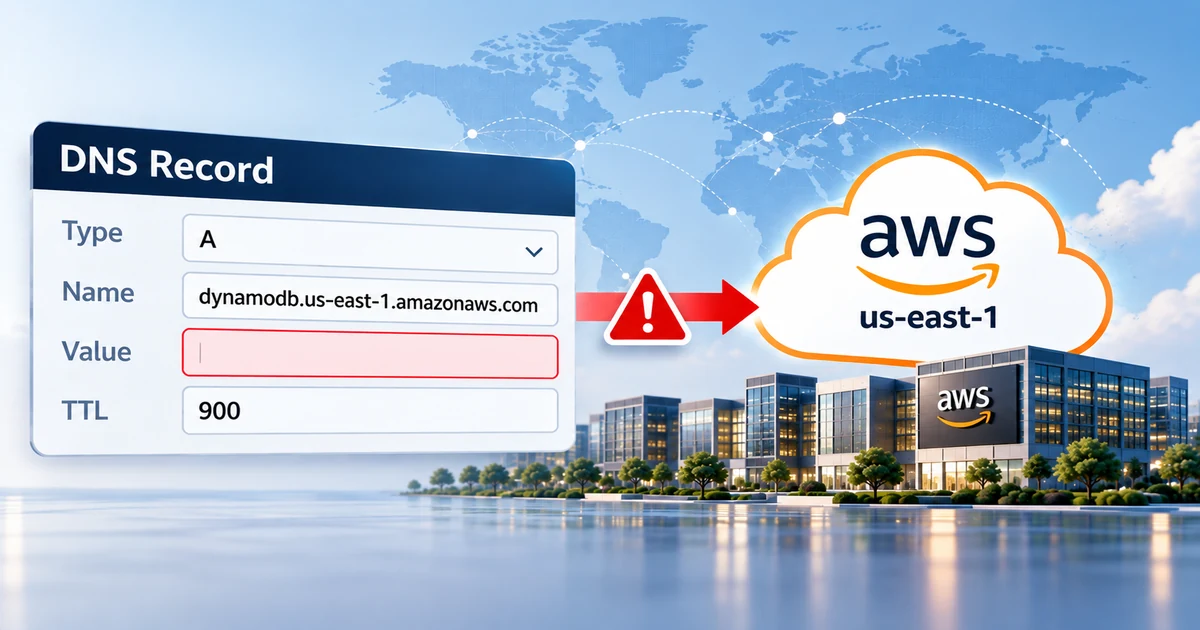
A year ago this week, one DNS record in Amazon Web Services’ busiest region came back empty. At 11:48 PM Pacific time on October 19, 2025, the name applications use to reach DynamoDB in us-east-1, dynamodb.us-east-1.amazonaws.com, stopped resolving to any address. Applications that depended on it couldn’t connect, and the failure rippled through EC2, load balancers, Lambda and more. AWS had the DNS record fixed in under three hours. Everything else took until 2:20 PM the next afternoon.
The cause wasn’t an attack, a hardware failure or a DNS provider going down. It was an automation bug: a race condition in the system AWS uses to keep that record up to date. AWS’s post-event summary is worth reading in full. Here’s what happened, which common advice wouldn’t have helped, and what’s worth doing about your own DNS.
The short version
No choice of DNS provider would have prevented this one. The record that went empty was AWS’s own, and the DNS service serving it did its job; the record it was given was empty. What you control is how your own services fail: guardrails on the automation that changes your DNS, monitoring that checks the answers rather than just the servers, a fast way to roll back, and a failover path that doesn’t depend on the thing that failed.
What happened
DynamoDB’s regional endpoint points at a large, constantly changing pool of load balancers, so AWS updates its DNS records automatically. The system that does it has a few moving parts:
Watches the health and capacity of DynamoDB’s load balancers and produces a new DNS plan whenever they change.
Three of them, running independently in three Availability Zones, apply the latest plan to the endpoint’s records in Route 53.
After applying a plan, an Enactor deletes plans that are many generations old.
Serves whatever was last applied. Normally, that’s a long list of healthy addresses.
On October 19, those parts lined up in exactly the wrong order:
- One Enactor got stuck retrying updates and fell behind, still holding an old plan.
- A second Enactor applied a much newer plan to every endpoint, then started its cleanup of old plans.
- The delayed Enactor finally wrote its old plan to the regional endpoint, overwriting the newer one. It had checked that its plan was newer, but that check was made before the delay and no longer meant anything.
- The cleanup then deleted that old plan for being many generations behind. Because it was now the plan in use, deleting it removed every IP address from
dynamodb.us-east-1.amazonaws.com. - The system was left in an inconsistent state that stopped any Enactor from applying new plans, so it couldn’t repair itself. Engineers had to fix it by hand.
| Pacific time | What happened |
|---|---|
| Oct 19, 11:48 PM | DynamoDB’s regional endpoint stops resolving and error rates jump. |
| Oct 20, 12:38 AM | Engineers identify the DNS state as the source. |
| 2:25 AM | All DNS information is restored. |
| 2:40 AM | DynamoDB is fully recovered as cached DNS answers expire. |
| 5:28 AM | EC2’s system for managing its physical servers finishes re-establishing its leases. |
| 9:36 AM | Engineers turn off automatic health check failover for Network Load Balancers. |
| 1:50 PM | EC2 is fully recovered. |
| 2:20 PM | The last affected services recover and the event ends. |
Why one DNS record did so much damage
The DNS problem lasted under three hours. The rest of the day went to knock-on effects, and they’re the part most worth learning from:
- Hidden dependencies. The EC2 system that manages the physical servers behind instances checks in with DynamoDB. With DynamoDB unreachable, those checks failed, server leases timed out, and new instance launches returned “insufficient capacity” errors.
- Recovery overload. When DynamoDB came back, that system tried to re-establish its leases all at once and collapsed under the load. Engineers had to throttle it and restart hosts.
- Health checks making it worse. New instances came up before their network configuration had propagated, so load balancer health checks flipped between failing and passing and pulled healthy capacity out of service. Automatic failover between Availability Zones removed even more, until engineers switched it off.
- Caches. Even after the record was fixed at 2:25 AM, clients recovered only as their cached copies of the broken answer expired, over the next 15 minutes.
What wouldn’t have helped
Plenty of advice after an outage like this is aimed at a different failure. Three things that wouldn’t have made a difference:
Secondary DNS
A secondary provider copies whatever the primary publishes, empty records included. It protects you when your DNS provider can’t answer, not when the data itself is wrong. We sell secondary DNS, and that’s still true.
Moving your own DNS
The record that broke was AWS’s own service endpoint. No change to your domain’s DNS, at any provider, could have repaired it.
More Availability Zones
The regional endpoint failed for every zone in us-east-1 at once. Spreading across zones in the same region didn’t help.
Five lessons for your own DNS
Put guardrails on anything that changes DNS automatically
AWS’s own fix starts here. It disabled the automation worldwide until the race condition is fixed and protections stop incorrect plans from being applied. The same kind of failure can happen anywhere DNS is changed by scripts, Terraform, deployment pipelines or API integrations. A few rules catch most of it:
- Refuse to publish an empty answer for a name that should always resolve, and refuse to delete the last record of a critical name.
- Re-check that a change is still current at the moment you write it, not just when the job started. A stale check is exactly what let the old plan through.
- Never let a cleanup job delete anything that’s live.
- Limit how much can change in one run, so a bad run can only do so much damage.
- Lock zones that rarely change. CloudFloorDNS supports zone locking alongside templates and backups.
Monitor the answers, not just the servers
During the outage, the DNS servers were up and answering. The answer was simply empty, so a check that only asks whether a nameserver responds would have passed. Check what your critical names resolve to, from more than one network, and alert when an answer is empty or changes unexpectedly:
# Does www still resolve to at least one address? Run it from more than one network.
answer=$(dig +short www.example.com A)
[ -n "$answer" ] && echo "OK: $answer" || echo "ALERT: www.example.com returned no addresses"Make rollback fast, and remember the caches
AWS’s automation left itself unable to apply new plans, so the fix had to be done by hand. Know in advance how you’d put the last good version back. CloudFloorDNS takes an automatic backup of your zone every time it changes, and you can restore a previous version from the zone’s editing page.
Bad answers also outlive the fix. A wrong address stays cached for the record’s TTL, and an empty answer for your zone’s negative-caching time, which is set in its SOA record. Keep both reasonable for names you might need to repair in a hurry.
Have a failover path that doesn’t share the failure
If your service can run somewhere else, DNS failover is how you send people there: it checks your service from outside and switches records to a standby when it fails. For it to help in an event like this, three things have to be true:
- The standby doesn’t depend on the region that failed, including for sign-in, configuration or data.
- The health checks and the DNS changes run outside the failing region, so the system deciding to fail over isn’t down too.
- The records you’d switch have short TTLs, so the change takes effect in minutes.
CloudFloorDNS DNS Failover monitors from multiple global locations and switches A, CNAME and ALIAS records when several of them agree that something is down. You don’t have to move your DNS to use it; CNAME Failover works alongside your current provider.
Failover can make things worse
In this outage, automatic health check failover pulled healthy capacity out of service, and AWS had to turn it off. Require several monitoring locations to agree before failing over, and consider failing over and staying there instead of failing back automatically, so a flapping check can’t bounce traffic back and forth. CloudFloorDNS DNS Failover offers both options.
Keep your authoritative DNS independent
This outage wasn’t a DNS provider failure, but those happen too, from DDoS attacks to configuration mistakes. Secondary DNS on a separate network keeps your domain resolving when your primary provider can’t answer. Just be clear about what it covers: a provider that’s down, not data that’s wrong.
Which protection covers which failure
| When this fails | This protects you |
|---|---|
| Your DNS provider can’t answer (outage, DDoS) | Secondary DNS on an independent network |
| Wrong or empty data gets published | Guardrails on changes, monitoring the answers, fast rollback |
| A cloud region or data center goes down | DNS failover to a standby that doesn’t depend on it |
| The fix is slow to reach users | TTLs and negative-caching times chosen per record |
Frequently asked questions
Was this a Route 53 outage?
No. Route 53 served the record it was given. The record was emptied by the separate automation that manages DynamoDB’s DNS entries.
Could the same thing happen to my DNS?
Any system that changes DNS automatically can publish bad data, including scripts and integrations you run against your own provider’s API. That’s why the guardrails, monitoring and rollback above matter more than which provider you use.
Would running in more than one region have helped?
For your own workloads, it can, but only if the other region doesn’t depend on us-east-1 for anything it needs. The only reliable way to know is to test a real failover.
What did AWS change afterwards?
It disabled the DNS Planner and Enactor automation worldwide until it fixes the race condition and adds protections against applying incorrect plans. It’s also adding a limit on how much capacity a load balancer can remove during health check failover, plus new tests and throttling for EC2’s recovery workflows.
Related
- DNS Failover: monitor and fail over to a backup IP or CNAME
- Secondary DNS overview and pricing
- The DNS root key changed on October 11: what to check
- AWS: Summary of the Amazon DynamoDB service disruption
Plan for the bad day before it happens.
CloudFloorDNS gives you independent Anycast DNS with a 100% uptime SLA, DNS Failover that checks from multiple locations, and Secondary DNS, all run by a team with more than 25 years in DNS.
Want help planning failover for your own services? Email sales@cloudfloordns.com or support@cloudfloordns.com, or call +1 781 373 5823.