


Blog
Introducing DNS Failover Pools: Fail Over to a Tertiary IP, CNAME, or ALIAS
November 18, 2026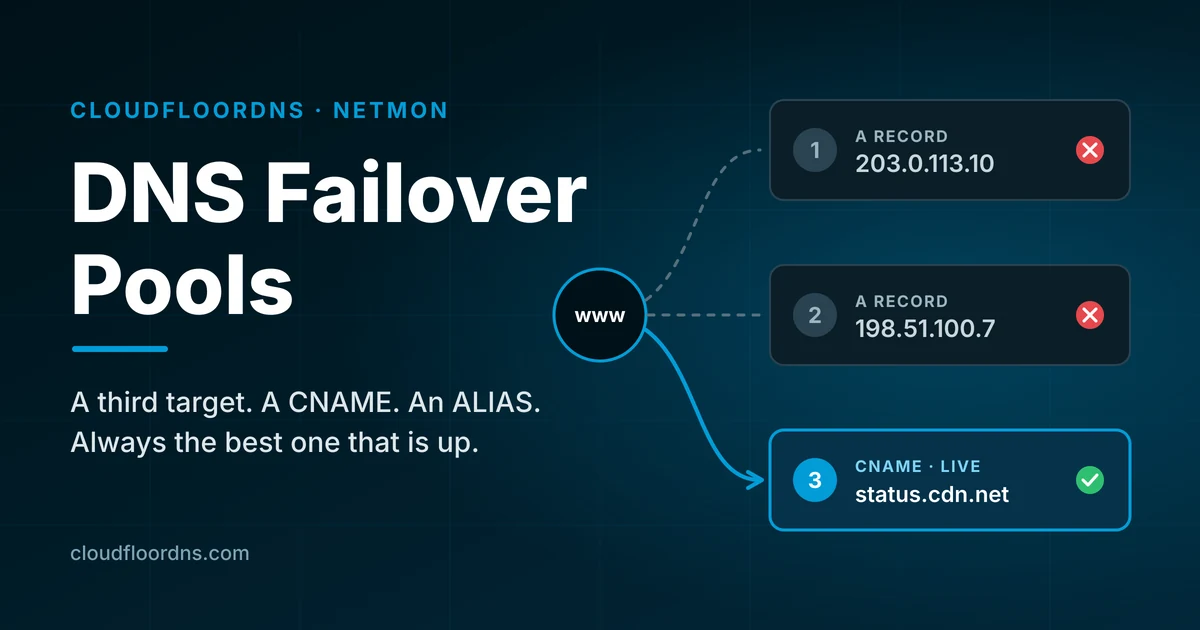
For years, DNS failover at CloudFloorDNS has worked the way it works almost everywhere: you have a primary IP and a backup IP, Netmon watches the primary, and when it goes down we swap the record. It is simple and it has saved a lot of people a lot of 3 a.m. phone calls.
It also has an obvious limit. Two states, good and failed, is one backup. If the backup is down too, or if your backup is not an IP address at all but a CDN hostname or a cloud load balancer, the old model had nowhere to go. Failover pools fix that, and around here we think the result is wicked awesome.
The short version: a failover pool is an ordered list of targets for one hostname. Each target can be an IPv4 address, an IPv6 address, or a hostname (CNAME or ALIAS), and each one gets its own health check. Netmon always publishes the best target that is actually up. True sequential failover.
What a pool looks like
A pool belongs to one name in your zone, such as www.example.com or the bare example.com. Inside it you list targets in priority order:
| Priority | Type | Target | What it is |
|---|---|---|---|
| 1 | A | 203.0.113.10 | Your main data center |
| 2 | A | 198.51.100.7 | Your second site |
| 3 | CNAME | sorry.cdn.example.net | A status page on a CDN (last resort) |
If the main data center fails, visitors go to the second site. If that fails too, they land on a status page instead of a browser error. When things recover, traffic moves back up the list according to rules you choose. There is a maximum of 8 Targets per pool.
What is new
A third target, and beyond
Pools are ordered lists, not a primary and backup pair. Add as many fallbacks as your setup really has.
Hostnames as targets
Fail over to a CNAME or ALIAS target such as a CDN, a cloud load balancer, or a hosted status page, not just a fixed IP.
A health check per target
Every target is monitored on its own, so we never send traffic to a backup that is also down.
Ordered or active-active
Serve only the best healthy target, or serve every healthy IP at once and drop the ones that fail.
Fail-back on your terms
Return to the primary automatically, after it has stayed healthy for a set time, or only when you say so.
Manual control and a history
Force a target, pause the pool during maintenance, and see exactly which records were published and why.
How it decides what to publish
Netmon checks each target from multiple monitoring locations, and a target is only marked down when enough of those locations agree. One site having a bad route to your server does not move your DNS.
When a target changes state, the pool works out what the DNS answer should be and publishes it only if that differs from what is already live. In ordered mode that is the highest priority target that is up. In active-active mode it is every healthy A and AAAA target together.
Two settings keep a struggling server from bouncing your traffic back and forth:
- Minimum hold time. After a change, the pool stays put for a short period (two minutes by default) as long as the target it moved to is healthy. If the live target dies, the pool moves away immediately. The hold never traps you on a dead server.
- Fail-back policy. Automatic returns to a better target as soon as it recovers. Delayed waits until that target has stayed up for a period you set. Manual stays on the backup until you release it, which is the right choice when a recovered server needs a data sync or a look from a human first.
When everything is down
Most failover products get vague here. With a pool you choose in advance:
- Last resort. Serve the target you marked as last resort whether or not it passes its check. This is the usual home for a status page or a holding page.
- Last known good. Keep serving whatever was live most recently.
- Serve all. Publish every IP in the pool and let clients try them.
Our existing redirect page and holding page options are available as last resort targets inside a pool, so you can put one at the bottom of the list behind your real servers.
One rule we will not break: a pool never publishes an empty answer. If a hostname target cannot be resolved, or nothing usable is left, the previous answer stays live. A stale answer beats no answer.
Hostname targets, including at the zone apex
DNS does not allow a CNAME at the top of a zone, and it does not allow a CNAME to sit beside other records on the same name space. That is the reason most failover services only accept IP addresses.
Pools handle it for you. On a subdomain where the hostname is the only target being served, we publish a real CNAME. Anywhere else, including the bare domain, we resolve the hostname and publish the resulting addresses, which is what an ALIAS record does. If you enter a CNAME target on the apex, the editor converts it to ALIAS and tells you.
Setting one up
Start from a Netmon test
Open the test that monitors your primary server and choose Multi-target failover pool as the failover method. Your current host is filled in as target 1.
Add your targets
For each one, pick the type and enter the IP or host name. By default we populate the Target from the Netmon test host which is configured. You can link any test you already have configured.
Choose the behavior
Set the mode, the fail-back policy, the all-down behavior, and the TTL. Pool TTLs run from 30 to 300 seconds, with 60 as the default.
Save
The pool reads the current state of every check and publishes the correct answer right away. There is no waiting for the next failure to find out whether it works.
Is your zone hosted somewhere else? You can still use a pool. We give you a pool hostname on our network, and you point a CNAME at it from your existing DNS provider.
Things worth knowing that a sales page usually leaves out
- DNS failover is not instant. A change reaches visitors as their resolvers’ cached answers expire. With a 60 second TTL, most traffic moves within a minute or two of detection. A small number of resolvers and applications hold answers longer than they should, and no DNS provider can change that.
- Flattened hostnames are resolved from our side. When a hostname target has to be published as addresses, we do the lookup. If that hostname belongs to a CDN that steers by location, your visitors get the addresses the CDN handed to us, not ones chosen for where they are. For a last resort status page this rarely matters. For a primary target that depends on geographic steering, use a subdomain so we can publish a real CNAME.
- Active-active is for IP targets. It serves all healthy A and AAAA targets. Hostname targets come into play as the last resort.
- A health check tests what you tell it to test. A server that answers on its port while showing an error page looks healthy to a basic check. Pick a check that reflects what your users actually need.
- Your backups have to be real. A pool will send traffic to target 2 with confidence. Make sure target 2 can take the load and has current data.
Already using failover with us?
Nothing changes unless you want it to. Existing two-address failover keeps working exactly as it does today. Pools are an option on each test, and you can move one hostname over at a time.
Give your hostname more than one way out
Failover pools are available now in Netmon. Log in to set one up, or talk to us about how it fits your setup.
Open the control panel Email sales
Questions? support@cloudfloordns.com or +1 781 373 5823