


Blog
What’s Your DNS Backup Plan?
November 4, 2026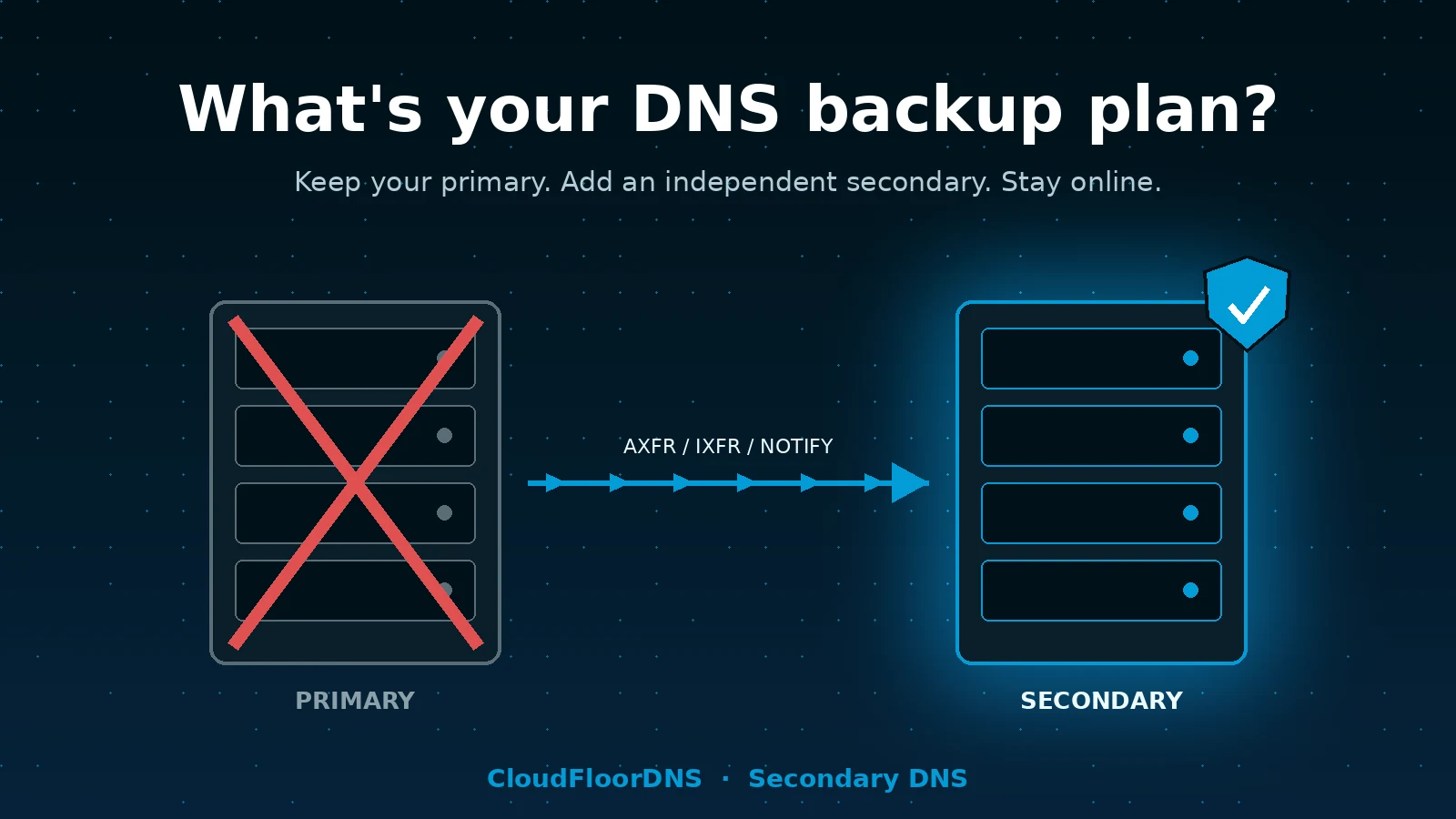
Every service you run has a backup plan. Your database replicates. Your servers sit behind a load balancer. Your files get snapshotted nightly. Now answer this honestly: if your DNS provider went dark right now, what happens to all of it?
For most organizations the answer is “everything stops.” Not the website, not the API, not just email. Everything with a hostname in it. And unlike a server failure, there is no graceful degradation. Resolvers either get an answer or they don’t.
This post walks through the DNS backup plans we see in the wild, why most of them don’t hold up, and why we think Secondary DNS is the single best cost-to-benefit move you can make for your infrastructure this year. It also covers a few things worth knowing that a sales page usually leaves out.
Why a DNS outage is worse than a server outage
When a web server dies, your monitoring fires, users see an error page, and the blast radius is one service. When your authoritative DNS stops answering, the blast radius is your entire domain:
Web and API
No A/AAAA record, no connection. Your CDN and WAF don’t help if nobody can find them.
MX lookups fail, so inbound mail queues at the sender. SPF, DKIM and DMARC lookups fail too, so outbound mail starts getting rejected or quarantined.
Everything else
VPN endpoints, SSO, SaaS verification records, internal tooling, mobile apps. Anything that resolves a name under your domain.
The part people underestimate is how long it lasts. DNS outages at managed providers are usually caused by DDoS attacks, control-plane failures, or a bad config push, and those can run for hours. Cached answers buy you some time, but once TTLs expire across the big public resolvers, you’re fully offline with no way to fix it from your side.
The backup plans people actually have
We talk to a lot of operators about this. Here’s what “our DNS backup plan” usually turns out to mean, and where each one breaks.
Plan A: “Our provider has lots of PoPs”
Anycast with many points of presence protects you against a single data center going down. It does not protect you against a provider-wide problem: an authentication outage, a bad software deploy, a control-plane bug that pushes an empty zone everywhere, or an attack large enough to saturate the whole network. All of those have happened to large, well-run DNS providers. Every PoP being down is still “down.”
Plan B: “We have long TTLs”
Long TTLs help for a while, but resolvers don’t honor them uniformly, many clamp to a few hours, and once the cache expires there’s nothing to fall back on. Long TTLs also make your actual failover slower when you do need to change a record. This is hoping, not planning.
Plan C: “We keep a zone file export somewhere”
Better than nothing, but restoring it means signing up with a new provider during an outage, importing the zone, updating NS records at the registrar, and then waiting for the delegation change to propagate. Realistically that’s half a day, assuming your registrar login isn’t tied to email on the domain that’s down.
Plan D: “We run two providers and keep them in sync by hand”
This works until it doesn’t. Two control panels, two APIs, two sets of credentials, and a record that got updated in one place but not the other. The drift is silent until the day you fail over to the stale copy.
Secondary DNS: the backup plan that actually works
Secondary DNS is the mechanism DNS was built with for exactly this problem. You keep your existing provider as the primary and the only place you edit records. A second, independent provider pulls a copy of the zone automatically using standard zone transfers (AXFR/IXFR), gets told about changes instantly via NOTIFY, and serves the identical zone from its own nameservers.
Both sets of nameservers are listed in your delegation. Resolvers pick whichever one answers. If your primary disappears, resolvers simply keep getting answers from the secondary, and nobody notices. There is no failover event, no DNS change to push, no 3 a.m. decision to make.
Key point: secondary DNS isn’t a backup you restore from. It’s a live, always-on second copy that’s already answering queries. The “failover” is built into how resolvers work.
Why we think it’s the best bang for the buck in your stack
We sell a lot of things at CloudFloorDNS, and we’ll be the first to say Secondary DNS isn’t the most expensive one. It might be the one we’re proudest of, because the ratio of risk removed to money and effort spent is hard to beat.
| What you get | What it costs you |
|---|---|
| Full provider-level redundancy on a separate anycast network, separate code base, separate control plane | A small monthly fee per zone, far less than a second full managed DNS subscription |
| Zero ongoing sync work; changes replicate automatically within seconds of a NOTIFY | About an hour of setup, once |
| No change to how your team manages DNS day to day | Nothing. You keep editing records exactly where you do today |
| Protection against the outage class that nothing else in your stack covers | No new vendor lock-in; standard AXFR/IXFR means you can leave any time |
A few things about our implementation specifically:
- Our own DNS server software. CloudFloorDNS runs a purpose-built authoritative server, not BIND. If a vulnerability or bug hits the software your primary runs, it almost certainly doesn’t hit ours at the same time. Real diversity, not just a second IP range.
- Global anycast. Your secondary isn’t a box in one data center. It’s served from our worldwide anycast network with DDoS mitigation, the same infrastructure our primary customers run on.
- Standards all the way down. AXFR, IXFR, NOTIFY, TSIG-authenticated transfers, IPv4 and IPv6. If your primary can do a zone transfer, we can be its secondary. That includes BIND, PowerDNS, Knot, NSD, Windows DNS, and most managed providers that offer outbound transfers.
- Twenty-five plus years of doing exactly this. We’ve been running authoritative DNS since before “managed DNS” was a product category.
Things worth knowing before you set it up
This is the part most vendor pages skip. None of these are deal-breakers, but you should walk in with your eyes open.
Your primary has to allow outbound zone transfers. Self-hosted servers almost always can. Managed providers vary. Some include it on every plan, some restrict it to higher tiers, and a few don’t offer it at all. Cloudflare, for example, only offers zone transfers on Enterprise plans. Check this first.
Proprietary record types don’t transfer. ALIAS/ANAME-at-apex, weighted pools, provider-specific failover and geo records are not standard DNS. AXFR carries what the primary chooses to export, which is usually the “flattened” result. Test what your secondary actually serves for those names before you rely on it.
DNSSEC needs a plan. If your zone is signed, the secondary either serves the pre-signed zone as transferred (RRSIGs included), or the two providers need to coordinate keys. Pre-signed transfer is the simplest and what we recommend.
Mind your SOA expire value. If the primary is unreachable for longer than the SOA expire timer, a conforming secondary stops answering. A lot of zones still carry the default of one week, which is fine. If yours is set to something short, raise it before you need it.
How to set it up
Here’s the whole process. For a single zone it’s well under an hour, most of which is waiting on the registrar.
allow-transfer or equivalent. On a managed provider, look for “outbound zone transfer,” “AXFR,” or “secondary DNS” in the settings.Verifying the transfer is one command:
dig +short SOA example.com @your-primary-ns
dig +short SOA example.com @our-secondary-ns
# serials should match
A quick self-assessment
If you answer “no” or “I’m not sure” to any of these, it’s worth fixing before the day it matters.
- Do your domain’s NS records point at nameservers run by more than one organization?
- If your DNS provider’s control panel were unreachable for six hours, would your domain keep resolving?
- Have you actually tested that, rather than assumed it?
- Does your registrar account use an email address that would still work if your domain’s DNS were down?
- Do you know your zone’s SOA expire value?
The bottom line
You already pay for redundancy everywhere else in your stack. DNS is the one layer where a single-vendor failure takes down all of it at once, and it’s also the one layer where the fix is cheap, standards-based, and requires no change to how your team works. Secondary DNS from CloudFloorDNS gives you an independent, globally anycast copy of your zone that’s already answering queries before anything goes wrong.
Ready to have an actual DNS backup plan?
Set up Secondary DNS in the panel in minutes, or talk to us about multi-zone and enterprise deployments.
Get started with Secondary DNSEmail sales
Questions? support@cloudfloordns.com or +1 781 373 5823.
CloudFloorDNS is not affiliated with Cloudflare, Inc. or any other provider named in this article. Product names are the property of their respective owners and are referenced only to describe interoperability and publicly documented plan limits, which may change.